Introduction
You just got an email inviting you to complete a Vervoe assessment as part of a job application, and now you want to know what you are walking into. Vervoe is a skills-testing platform, not a personality quiz or a trivia test. Employers use it to see how you handle real, job-related tasks instead of judging you on your resume.
Here is the short version before we get into the detail.
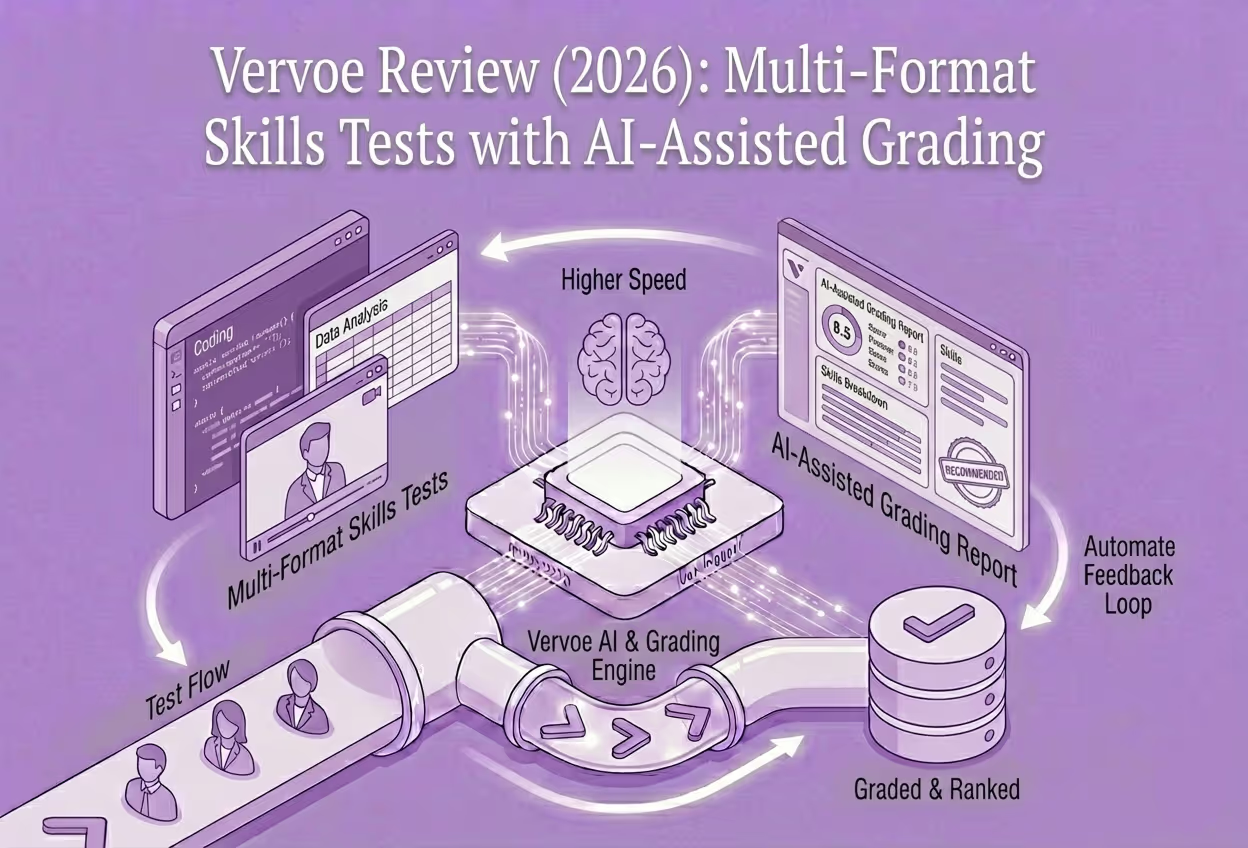
A Vervoe assessment is an online, task-based skills test an employer sends you during hiring. Instead of interview questions about yourself, you complete simulations of real job tasks — writing an email, reviewing a spreadsheet, recording a video, or solving a coding challenge. AI scores the content of your answers, and the employer decides.
You cannot sign up for Vervoe yourself. You only take an assessment when an employer invites you, and the tasks you see depend entirely on the role you applied for.
What a Vervoe assessment looks like
Every Vervoe assessment is built around tasks that "simulate tasks you might actually do in the job." The exact mix depends on the role and how the employer set it up, so no two assessments look identical. Employers can even rename the assessment, add their own branding, and use a custom link, which is why yours may not say "Vervoe" front and center.
Below are the main task types you might run into.
Written answers
These are open text responses where you draft something like an email, a reply to a customer, or a short explanation of how you would handle a situation. What matters is the content — how clearly you communicate and whether you show the skill the task is testing.
One thing worth knowing: every text response is run through a plagiarism detector, and answers that closely match other candidates get flagged for the employer to review. Write in your own words.
Video and audio answers
For these, you record yourself speaking your answer to a prompt. This is the part that makes most candidates nervous, so here is the reassuring detail: the AI only reads the transcript of what you said. It does not analyze your face, your tone of voice, or your accent. Your recording and transcript are passed on to the employer.
In other words, the substance of your answer matters far more than how polished you look on camera.
File and portfolio uploads
Some roles ask you to upload a document, a presentation, or a portfolio piece. These are treated as high-value tasks (more on scoring below), so it is worth putting real effort into them rather than uploading something rushed.
Spreadsheets, coding, and quizzes
Depending on the role, you may get a live spreadsheet task, a code challenge that runs your solution through automated tests, or multiple-choice questions. Coding and spreadsheet tasks are hands-on — you actually do the work inside the tool rather than describing it.
Multiple-choice questions do appear, but they carry less weight than the hands-on tasks, so do not assume the quiz portion is where the assessment is won or lost.
If you are researching this platform as an employer rather than a candidate, our independent Vervoe buyer review covers pricing, integrations, and fit.
How the AI grading treats your answers
This is the question most candidates actually have, so let us be direct about it.
The AI scores the content of your responses — what you wrote or said and how well it matches what the task is asking for. It is looking at skills like communication, problem-solving, attention to detail, and digital literacy. It is not scoring you as a person, and Vervoe states its AI does not use demographic data, voice analysis, or facial recognition.
A few more facts that help set expectations:
- Scoring runs 0 to 10 in three bands — Poor (0 to 3), Average (4 to 7), and Excellent (8 to 10). The AI suggests a band, but the employer can manually override it.
- Harder tasks are worth more. Immersive questions like simulations, code challenges, file uploads, and spreadsheets are worth up to 10 points each, while multiple choice is worth up to 3. Your effort on the big tasks moves your ranking the most.
- Your score is relative. Results reflect how you did compared with other candidates who took the same assessment, not a fixed pass mark.
- The AI does not make the hiring decision. It provides a consistent score, and the employer always makes the final call.
Vervoe also notes it is ISO/IEC 27001 certified, GDPR compliant, and that its AI has been independently bias-audited by Holistic AI. Some employers choose to share feedback afterward as an emailed PDF report card showing your results per skill and which band you landed in, but not every employer turns this on.
Prep that actually helps
You cannot study for a Vervoe assessment the way you would cram for an exam, because the tasks are about demonstrating skills you already have. But a few things genuinely help.
- Do the immersive tasks properly. Since simulations, uploads, coding, and spreadsheet tasks carry the most weight, that is where your time is best spent.
- Answer in your own words. Plagiarism detection is active, so copied or templated answers can work against you.
- Read each prompt for the skill it is testing and answer that directly, rather than padding with generic filler.
- Treat video answers as spoken written answers. The transcript is what gets scored, so focus on saying something clear and relevant, not on performing.
General interview-prep advice still applies as a baseline. Find a quiet space, use a stable internet connection, and give yourself uninterrupted time before you open the assessment. A structured answer approach, such as STAR (Situation, Task, Action, Result), can keep spoken and written responses focused — that is general advice, not a Vervoe requirement.
One practical warning: your deadline and access link are set by the employer, not Vervoe. Vervoe cannot extend deadlines, resend links, or reset an attempt. If your link expires or something goes wrong, contact the employer directly.
FAQ
Is the Vervoe skills test legit?
Yes. Vervoe is an established skills-assessment platform used by employers to test candidates on real job tasks, and its AI has been independently bias-audited. An employer only sends it as a genuine step in their hiring process.
Is AI grading me on my Vervoe assessment?
AI helps grade your answers, but it scores the content of your responses, not you as a person. It does not use facial recognition, voice analysis, or demographic data, and the employer always makes the final hiring decision.
Is the Vervoe assessment hard?
It is less about difficulty and more about doing real work — writing, solving, or recording answers to job-like tasks. There is no fixed pass mark, since your score reflects how you did compared with other candidates who took the same assessment.
Can you retake the Vervoe interview or request an extension?
Retakes and deadlines are controlled by the employer, not Vervoe. Vervoe cannot reset an attempt, extend a deadline, or resend an expired link, so you need to contact the employer directly to ask about a second chance or more time.
How do I check my job application status after a Vervoe assessment?
You have to ask the employer. Vervoe has no visibility into your application status and makes no hiring decisions, so it cannot tell you whether you passed or what happens next.
Does the video question judge my face or accent?
No. For audio and video answers, the AI only reviews the transcript of what you said. It does not assess your facial expressions, tone of voice, or accent, so concentrate on the substance of your answer.
Other AI interviews you might encounter
Another application may use a conversation or recorded interview rather than Vervoe's job-task assessment. These candidate guides explain the different formats:
- Tenzo AI interview: what to expect — a live voice or video conversation with an AI recruiter named Morgan
- Sapia chat interview: what to expect — written responses in a text-based interview
- Modern Hire interview: what to expect — recorded video questions that may accompany role-based assessments
Want the employer-side view of how Vervoe compares to other AI screening platforms, including our top-rated pick Tenzo AI? See our best AI recruiting software guide for 2026.
Evaluating AI recruiting software?
Download the vendor scorecard template and RFP question bank — structured tools for every stage of the buying process.
Vendor ScorecardAbout the author
Editorial Research Team
Platform Evaluation and Buyer Guides
Practitioners with direct experience in enterprise TA leadership, HR technology procurement, and staffing operations. All buyer guides apply our published 100-point evaluation rubric.
Free Consultation
Get a shortlist built for your ATS and volume
Our research team builds custom shortlists based on your ATS, hiring volume, and specific requirements. No cost, no vendor access to your contact information.
Related Articles
What Is the Maki Assessment? A Candidate's Guide
Invited to a Maki assessment? Here is what it actually involves — the skills-test library, the Mochi AI screening call, how scoring works, and how to prepare.
The HireVue Assessment: What Candidates Should Expect in 2026
A candidate guide to the HireVue assessment in 2026 — how the one-way video interview works, what gets scored, how to prepare, and when you hear back.
The Paradox Assessment (Olivia): What the Text-Chat Screening Is Really Like
Applying through Paradox? Here is what the Olivia text chat and the visual personality quiz are really like, plus honest tips for hourly-job candidates.
The Glider AI Assessment: Proctored Tests, Coding Challenges, and What to Expect
Invited to a Glider AI assessment? Here is what to expect — coding challenges, skill tests, timers, retakes, and how Glider proctoring and Safe Browser work.
The Tenzo AI Interview: What Candidates Should Expect
Got a Tenzo AI interview link with an AI recruiter named Morgan? Here is what the interview involves, the rules that matter, and how to prepare.
The Ribbon AI Interview: Questions, Scoring, and What to Expect
Got a Ribbon AI interview link? Here is what to expect, how the AI scores you on three criteria, whether it records you, and whether you can retake it.